What is PoE (Power over Ethernet)? A Guide for Business Owners
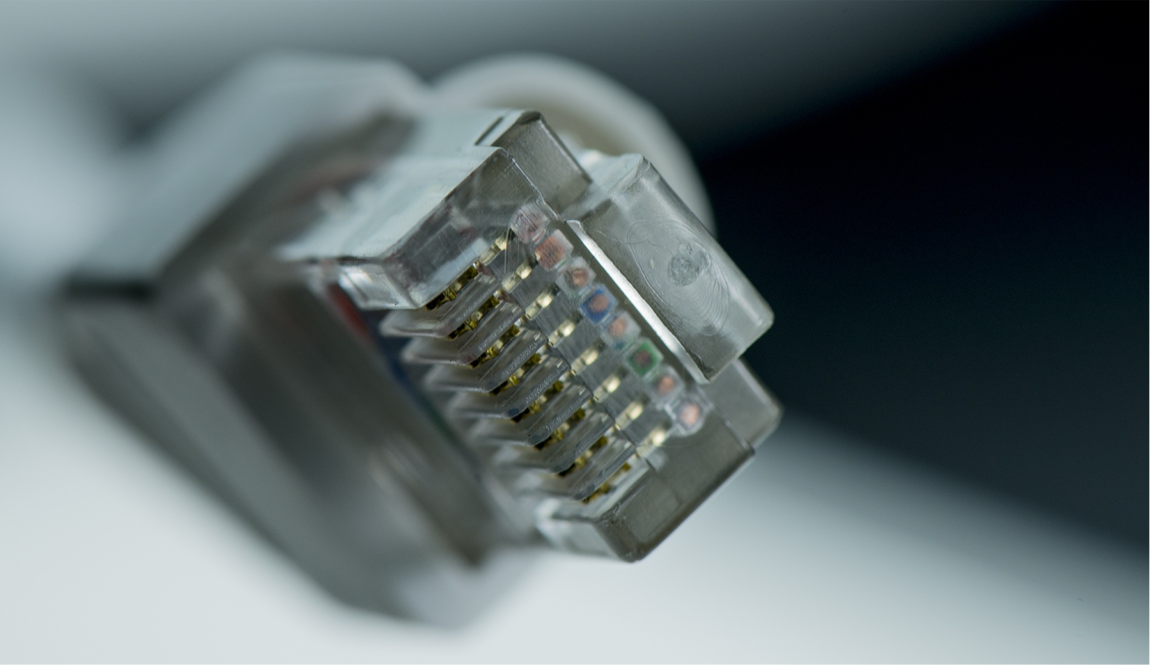
Run ethernet to a device and you run power to it too. That’s the core premise of Power over Ethernet, and it changes how businesses wire facilities for cameras, wireless access points, phones, and access control.
For most SMBs, PoE reduces the cost and complexity of adding networked devices. No separate electrical circuit means fewer electrician hours, more placement flexibility, and simpler cable runs. The technology is mature, standardized by the IEEE, and built into virtually every enterprise-grade switch on the market today.
This guide covers what PoE is, how the three IEEE standards differ in wattage and device compatibility, when to choose a PoE switch versus an injector, and what limitations your network team needs to account for before deployment.
What Is Power over Ethernet?
Power over Ethernet (PoE) delivers both electrical power and network data over a single standard ethernet cable. A PoE-capable switch sends DC voltage over the cable’s wire pairs to the connected device at the same time data flows in both directions.
The practical benefit for businesses is placement flexibility. Security cameras, wireless access points, Voice over Internet Protocol (VoIP) phones, and door controllers can all go wherever ethernet reaches, not wherever outlets happen to exist. An exterior wall, a parking structure ceiling, the center of a warehouse floor: if ethernet runs there, PoE-powered devices work there.
PoE ports run a low-voltage detection handshake before delivering current. When a non-PoE device is plugged in, it returns no compatible response, and the switch withholds power. Standard computers, printers, and other non-PoE ethernet hardware are safe on a PoE switch.
For a broader look at cabling options in business networks, our guide to types of network cable covers how ethernet, fiber, and other cable types compare and where each applies.
How PoE Actually Works
Understanding the mechanics helps when specifying hardware or troubleshooting a device that won’t power on. Here’s what happens when you connect a PoE device to a PoE switch port:
- The power sourcing equipment (PSE) initiates detection. The switch port applies a small test voltage. If the connected powered device (PD) returns the correct resistance signature, the PSE classifies it as PoE-compatible and begins power delivery. Non-PoE devices return no signature, so the switch holds back the current.
- Voltage travels over the cable pairs. The port delivers between 44 V and 57 V DC. The powered device’s onboard converter steps this down to its operating voltage, whether 5 V, 12 V, or another level depending on the device.
- Wire pairs determine the maximum wattage available. Older 802.3af and 802.3at standards carry power over two wire pairs. The 802.3bt standard uses all four pairs, which is how it achieves the higher wattage modern multi-radio access points require.
- Cable grade affects real-world power delivery. Cat5e is the minimum for PoE. Cat6 or Cat6a is the better choice for longer runs and higher-wattage devices, because resistance in older or lower-grade cable reduces effective power at the device end.
PoE Standards Explained: 802.3af, 802.3at, and 802.3bt
The IEEE 802.3 working group defines three PoE standards under the 802.3 family, each at a distinct wattage tier. Matching devices to the correct standard is the most consequential purchasing decision in any PoE deployment.
IEEE 802.3af (PoE): Up to 15.4 W per port. Sufficient for basic IP cameras, single-radio access points, and VoIP desk phones. Many older switches still in service today run this standard, and a large share of current low-power devices fall within its range.
IEEE 802.3at (PoE+): Up to 30 W per port. The current mainstream standard, covering most modern access points, PTZ cameras, and dual-band wireless APs. Speccing a new switch for a device fleet that’s a generation or two old? 802.3at is the floor.
IEEE 802.3bt (PoE++ / 4PPoE): Up to 60 W (Type 3) or 90 W (Type 4) per port. Required for Wi-Fi 6 and Wi-Fi 6E multi-radio access points, high-end PTZ cameras, digital signage, and lightweight thin clients. This standard uses all four wire pairs and is what to plan around in any network refresh that includes Wi-Fi 6 infrastructure.
Two rules apply across all three standards:
- Devices draw only what they request. A 15 W camera on an 802.3bt port is safe. The device negotiates its power class during the detection handshake, and the switch delivers accordingly. The risk runs the other way: a 25 W AP on an 802.3af port boots erratically or fails to power on entirely.
- The switch’s aggregate power budget is a hard cap. A 24-port switch rated at 370 W total cannot deliver its maximum per-port wattage across every port simultaneously. Add up the expected wattage of all planned devices before purchasing, and leave headroom for future additions.
Underspeccing the power budget is the most common PoE deployment mistake in SMB environments.
PoE Switch vs. PoE Injector: Which Do You Need?
The right choice depends on how many PoE devices you’re deploying and whether you’re starting fresh or adding to an existing network.
- Deploying three or more PoE devices: choose a managed PoE switch. PoE circuitry is built into the switch across all or selected ports. Per-device cost is lower than purchasing individual injectors, and management is centralized in one place.
- Adding a single remote device to a non-PoE network: use a PoE injector. An injector is a single-port pass-through device between your existing switch and the remote camera or AP. No full switch replacement required.
- Need remote reboot capability: prioritize managed over unmanaged. Managed PoE switches provide per-port power scheduling, real-time wattage monitoring, and remote port cycling. A frozen camera or access point gets rebooted from a dashboard, not by dispatching someone to the site.
- Unmanaged PoE switches cost less but reduce visibility. With no per-port power monitoring, capacity planning and fault diagnosis both become harder as your device count grows.
- Standardizing hardware across multiple locations: consider bundled procurement. Device-as-a-service offerings bundle PoE switches with managed support and ongoing monitoring, converting a large upfront capital expense into a predictable monthly fee.
What PoE Powers in a Business Network
PoE has expanded well past phones and basic cameras. These are the most common deployments for SMBs today:
- PoE security cameras: One cable carries both video data and power. Cameras mount wherever ethernet reaches, from ceilings and exterior walls to parking structures, with no separate electrical run required. Running conduit to a remote corner of a building often costs more than the camera itself. PoE eliminates that cost.
- Wireless access points: Ceiling-mount APs in offices, warehouses, and common areas connect over PoE, letting IT position coverage where the signal needs to be rather than where outlets happen to exist.
- VoIP desk phones: Businesses migrating to cloud-based phone systems commonly use PoE phones to eliminate power adapters at every workstation. Moves and changes require re-patching a cable, not locating a power outlet.
- Electronic access control: PoE-powered door controllers, badge readers, and electric strikes connect over the same network infrastructure as everything else, giving IT unified visibility into physical and network security from a single platform.
- Environmental monitoring and digital signage: Sensors, display panels, and lightweight thin clients increasingly ship in PoE versions, reducing wiring complexity for businesses that monitor temperature, air quality, or facility conditions.
PoE Limitations Every Business Should Understand
PoE works reliably within defined boundaries, but four practical constraints affect every deployment.
Maximum cable run: 100 meters. The IEEE standard caps PoE at 328 feet per segment. Beyond that length, both data quality and power delivery degrade. Longer installations require a midspan PoE extender or a secondary switch positioned closer to the devices.
PoE doesn’t affect speed. Power travels on the wire pairs independently of data, so a PoE cable carries the same 1 Gbps (or 10 Gbps on Cat6a) it would without current flowing.
Not all installed cable performs equally. Older Cat5 runs and flat patch cables carry higher resistance that causes power loss at 802.3at and 802.3bt wattages. Audit what’s in the walls before deploying high-wattage devices on an older cable plant. Our ethernet cable category guide covers the performance differences between Cat5e, Cat6, Cat6a, and higher categories in detail.
Single-point-of-failure risk. When a PoE switch loses power or fails, every device drawing from it goes offline simultaneously. Cameras go dark, access points drop, and phones go dead. Accounting for this in your disaster recovery planning protects against a single hardware event taking down physical security, wireless coverage, and communications at once. Adding an uninterruptible power supply (UPS) to core PoE switches is the first and most cost-effective mitigation.
Heat load in network closets. A fully loaded PoE switch generates substantially more heat than a comparable standard switch. Rack enclosures and network closets need adequate ventilation and cooling capacity when you install PoE switches.
Is PoE the Right Choice for Your Business Network?
For most SMBs adding cameras, wireless APs, or VoIP phones, PoE makes clear financial and operational sense. Simplified cabling, lower installation labor, and centralized device management outweigh the incremental cost of upgrading to a PoE switch in nearly every deployment scenario.
A single remote device on an existing non-PoE network doesn’t require a full switch replacement. A PoE injector bridges that gap as a single-port pass-through device.
The most preventable mistake is underspeccing the switch. Audit the wattage requirements of every planned device and confirm the switch’s aggregate power budget supports simultaneous operation. Build in headroom for future additions. Discovering an insufficient power budget after installation is an expensive correction.
LeadingIT provides managed IT and cybersecurity services to businesses with 25 to 250 employees across Chicagoland, including endpoint protection, 24/7 monitoring, incident response, vCIO guidance, and compliance support. We solve problems before they reach your inbox.
Contact our Chicagoland IT support team or call 815-788-6041 to schedule a free assessment.