SAN Storage for Growing Businesses: When a SAN Volume Controller Makes Sense
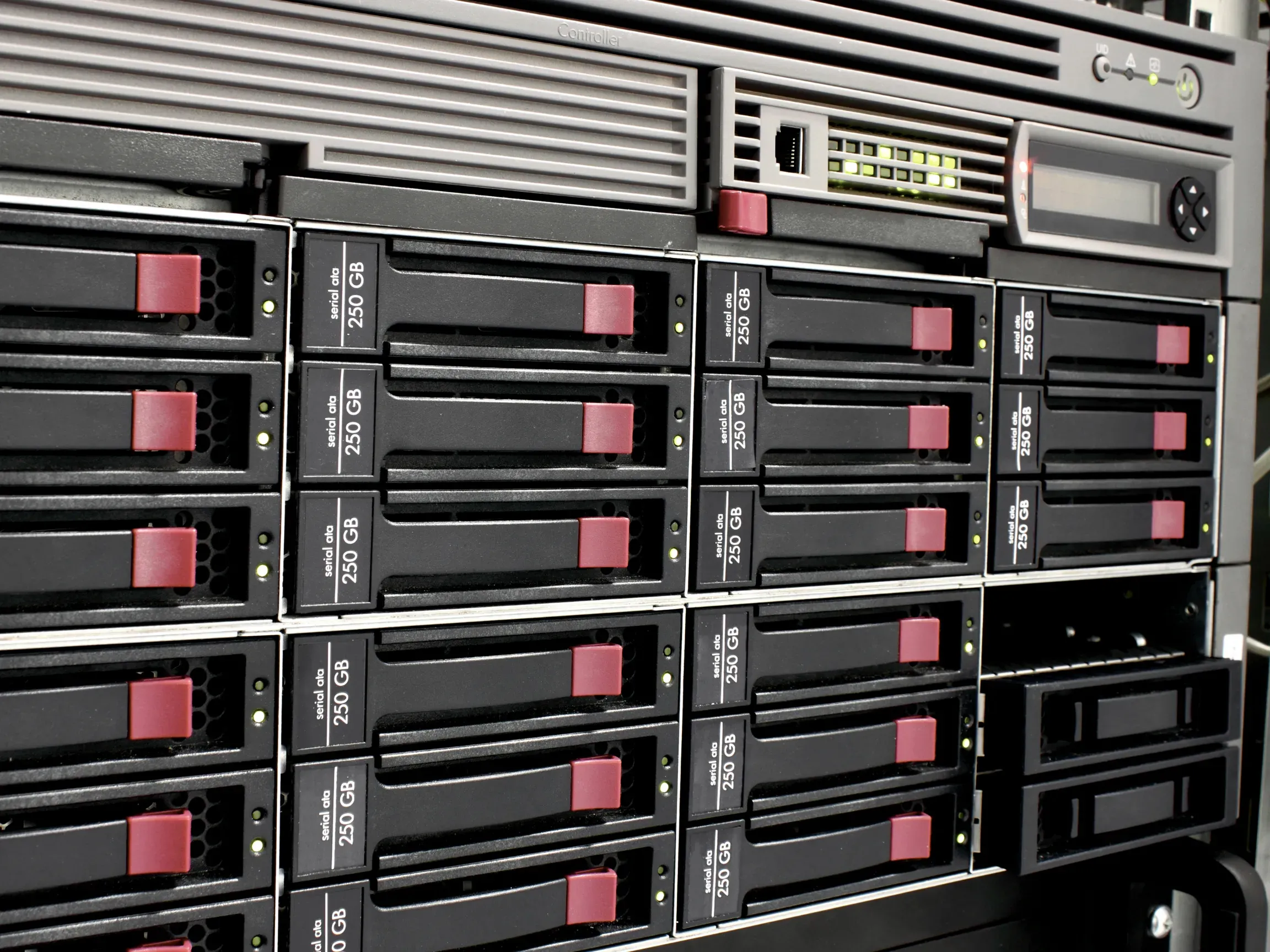
Storage infrastructure tends to become a visible problem at the worst possible time. Backup windows start slipping. VM migrations that used to finish overnight run into the next business day. A SQL Server query that returned results in two seconds now takes twelve. The underlying issue is usually the same: the storage platform that worked fine for the organization at 40 employees is no longer matched to what the organization at 120 employees actually needs.
For businesses in the 25-to-250 employee range, the question is rarely whether to address storage performance. The question is which architecture makes sense given the workload, the budget, and the direction the business is heading. A SAN volume controller sits at one end of that spectrum. Understanding what it does, and when it is worth the investment, is what this post covers.
What a Storage Array Controller Does
A storage array controller is the hardware and software layer that sits between physical disks and the servers consuming them. Its core responsibilities include:
- Hardware abstraction: Sitting between physical disks and the consuming operating system so features like snapshots, thin provisioning, and storage tiering operate transparently, without changes on the host side
- Cache management: Handling write and read cache to deliver consistent I/O performance beyond what raw disk or flash media alone provides
A SAN volume controller goes further. It adds a full storage virtualization layer that pools capacity from multiple physical arrays, including arrays from different vendors, and presents them through a single, consistent management interface. That abstraction is what separates a volume controller from a standard array controller.
IBM SAN Volume Controller: The Platform Behind the Name
IBM introduced the SAN Volume Controller (SVC) as a storage virtualization appliance positioned between host servers and back-end storage arrays, though SVC carries different meanings depending on the context. Rather than managing a single array’s capacity, SVC pools storage from multiple physical systems, including non-IBM hardware, and presents it as one unified environment.
According to IBM’s product documentation, the SVC runs IBM Spectrum Virtualize software as its core management engine. That platform delivers a set of enterprise storage capabilities that would otherwise require separate, purpose-built tools:
- Thin provisioning: Allocating storage capacity on demand rather than reserving physical space up front, reducing waste on underutilized volumes
- FlashCopy: Point-in-time snapshots executed without host-visible interruption, used for backup preparation and application-consistent restore points
- Easy Tier: Automated storage tiering that moves frequently accessed data to faster tiers and less active data to denser, lower-cost tiers without manual migration jobs
- Synchronous and asynchronous replication: Volume replication across both IBM and non-IBM arrays for site-to-site data protection
IBM’s Storwize family was an earlier mid-market product line running the same Spectrum Virtualize stack. IBM has since consolidated its storage portfolio under the IBM FlashSystem family, which ships with Spectrum Virtualize natively embedded. When you encounter the phrase “IBM system storage SAN volume controller,” it refers to this same product line across its generations. IBM’s backup products went through a similar naming evolution, from Tivoli Storage Manager to Spectrum Protect to IBM Storage Protect and understanding that lineage matters if your environment touches both storage and backup.
Current SVC deployments use IBM FlashSystem hardware with Spectrum Virtualize as the management layer, replacing the original standalone 2U appliance form factor that defined the product at launch.
SAN vs. NAS vs. Hyperconverged Infrastructure: Choosing the Right Fit
Three architectures cover the majority of shared storage deployments for organizations in the 25-to-250 employee range. Each has a legitimate use case. Choosing the wrong one means overpaying for unused capability, or underbuilding for workloads that eventually overwhelm the platform.
NAS (Network-Attached Storage)
NAS delivers file-level access over standard Ethernet. It deploys simply, carries lower upfront cost, and works well for file shares, backup targets, and general document storage. The limitation is I/O throughput: NAS was designed for file traffic, not the high-frequency, low-latency block I/O that SQL Server, ERP systems, or dense VMware environments generate. When workloads grow past what NAS can serve cleanly, the bottleneck shows up in application performance, not in a storage health dashboard.
SAN with a Volume Controller
SAN delivers block-level access over a dedicated storage fabric. The I/O profile is higher and more consistent, purpose-built for database workloads and virtualized server pools. A SAN volume controller adds the abstraction and management layer that makes multi-array environments administratively tractable. The trade-off is deployment complexity and cost, both of which justify themselves at a certain workload scale. Below that threshold, the overhead exceeds the benefit.
Hyperconverged Infrastructure (HCI)
HCI merges compute, storage, and networking into software-defined nodes. The operational model is clean, and scaling out in node increments works well when compute and storage demand grow together. The structural constraint is coupling: if your organization needs more storage without more compute, or vice versa, HCI becomes an inefficient way to get it. HCI also isn’t the right platform for the highest-availability storage capabilities that a dedicated SAN volume controller delivers.
The right choice turns on three variables:
- Workload profile: Whether day-to-day demand runs primarily on file traffic or high-frequency block I/O
- Growth pattern: Whether compute and storage scale together or pull in different directions
- Availability requirements: Whether the environment needs capabilities that only dedicated SAN infrastructure provides
Signs Your Business Is Ready for SAN Storage
SAN infrastructure becomes defensible when specific conditions align. If most of the following apply to your environment, the investment warrants a serious evaluation:
- Database I/O is a confirmed bottleneck. SQL Server, ERP platforms, or other line-of-business databases produce throughput or latency problems that NAS or direct-attached storage cannot resolve, even after hardware upgrades.
- Your virtualization footprint has grown. A shared, high-performance storage pool would improve VM density and reduce live-migration time in ways that affect daily operations, not just benchmarks.
- You manage storage across multiple sites. Consistent storage management with automated, reliable replication between locations is a real operational requirement, not a future aspiration.
- Mixed storage hardware is consuming staff time. Arrays from multiple vendors sit in your environment, and managing them separately pulls disproportionate administrative hours. IBM SVC’s ability to virtualize non-IBM arrays addresses this directly.
- Snapshot and tiering requirements have become real operational needs. Automated tiering or application-consistent snapshot workflows are requirements your current platform cannot satisfy on schedule.
- Backup windows are failing. Snapshot jobs consistently miss internal SLAs, signaling that the underlying platform is no longer matched to the workload volume it’s carrying.
No single condition tips the scale on its own. Look for several of these criteria converging at once. When business continuity is among them, IBM’s HyperSwap architecture deserves a closer look.
IBM HyperSwap and What It Means for Business Continuity
HyperSwap is IBM’s synchronous two-site mirroring capability, built directly into Spectrum Virtualize and available on SVC-based deployments. A SAN volume controller cluster spans two physical locations simultaneously, maintaining identical copies of all volumes at both sites at all times.
The system commits writes synchronously to both sites before returning any acknowledgment to the host. That mechanism delivers three operationally significant outcomes:
- Automatic failover with no manual intervention when a site goes down
- No application-visible interruption for connected hosts during a site failure
- Recovery point objective (RPO) of effectively zero: No production write goes unprotected at the moment of failure
For organizations in regulated industries or those carrying client SLA commitments, that last point separates “we have backups” from “we have continuity.”
HyperSwap closes a gap that asynchronous replication and backup-based recovery simply cannot close: near-continuous availability without building and maintaining a fully redundant data center from scratch.
Effective HyperSwap deployment requires adequate inter-site network bandwidth and deliberate architectural planning. Organizations evaluating HyperSwap should incorporate disaster recovery planning into the architecture work before committing to hardware.
The Real Cost of SAN Infrastructure for SMBs (and Where Hardware as a Service Fits)
Enterprise SAN infrastructure carries significant upfront capital expenditure. Storage controllers, disk shelves, host bus adapters, Fibre Channel switches, and structured cabling all land on the same procurement cycle. For organizations under 250 employees, that hit is real.
Recurring costs compound the initial spend:
- Vendor support contracts covering firmware updates, hardware replacement, and technical assistance
- Lifecycle management for firmware, compatibility, and security patches across every component in the stack
- Hardware refresh cycles every three to five years, required to avoid running IBM FlashSystem or SVC-based platforms past their vendor support window
- Ongoing administrative time, particularly in multi-array configurations that require consistent attention to maintain
Hardware as a service (HaaS) changes this calculation. Under a HaaS model, SMBs deploy enterprise-grade SAN infrastructure on a predictable monthly cost rather than a capital expenditure spike. The hardware refresh risk shifts to the provider. Storage controllers refresh on a defined schedule rather than when budget finally permits.
When CapEx is removed from the comparison, the total cost of ownership case for SAN shifts. IBM SVC-based infrastructure at a monthly rate frequently compares favorably to the cumulative cost of reactive NAS replacements and emergency storage expansions. Add in staff time spent managing infrastructure the workload has outgrown, and the SAN case strengthens further.
SAN isn’t the right answer for every organization under 250 employees, but for those that have crossed the workload thresholds described here, it’s no longer out of reach.
Where to Go from Here
Remove the storage constraint, and the day-to-day picture shifts. Backup windows close on schedule. VM migrations stop consuming extended maintenance windows. Your IT team moves from reactive troubleshooting to work that actually advances the organization.
LeadingIT serves businesses with 25 to 250 employees across the Chicagoland area. Our team helps organizations:
- Assess storage architecture and identify performance bottlenecks
- Plan infrastructure transitions and hardware sourcing
- Source enterprise-grade storage through hardware as a service arrangements
- Maintain the environment as part of our comprehensive IT support
If your current platform is becoming a constraint rather than a foundation, a structured assessment is the right next step. Schedule a free assessment to get a clear picture of where your infrastructure stands and where improvement makes the most business sense. To reach our team directly, call 815-788-6041.