The 5 Types of Ransomware Every Business Owner Should Recognize (2026 Guide)
In this article:
- 1. Crypto Ransomware (Encrypting Ransomware)
- 2. Screen Lockers (Locker Ransomware)
- 3. Scareware
- 4. Doxware (Leakware / Extortionware)
- 5. Ransomware as a Service (RaaS)
- Double and Triple Extortion: When One Demand Is Not Enough
- How to Tell Which Type of Ransomware Hit Your Business
- Building the Defenses That Match the Threat
Ransomware is not one thing. It is a category of attacks that includes at least five distinct variants, each with a different mechanism, a different risk profile, and a different set of defenses required to stop it. A crypto ransomware attack that encrypts your file server requires a fundamentally different response than a screen locker that freezes a single workstation, and both are different from a doxware campaign that never encrypts anything but threatens to publish stolen data unless you pay.
Most businesses learn the differences after an incident, when the distinction between attack types determines whether restoring from backup resolves the situation or barely scratches the surface of the problem. Learning those differences now, before an attack, changes how you prepare, how fast you respond, and how much damage you absorb.
According to Verizon’s 2025 Data Breach Investigations Report, ransomware is now present in 44% of all data breaches, a 37% increase in a single year. This guide covers the five types of ransomware targeting businesses in 2026, how each one works, how to identify which type you are dealing with, and what defenses actually matter for each category.
1. Crypto Ransomware (Encrypting Ransomware)
Crypto ransomware is the variant most people picture when they hear the word ransomware. It encrypts files on the infected system using strong cryptographic algorithms, rendering documents, databases, images, and application data completely inaccessible without the decryption key. The attacker holds that key and demands payment, typically in cryptocurrency, in exchange for it.
What makes crypto ransomware devastating for businesses is the scope of encryption. Modern variants do not stop at the infected device. They traverse network shares, mapped drives, cloud storage sync folders, and any connected system the compromised account has write access to. A single infected workstation with access to a shared file server can encrypt an entire department’s data in minutes. Variants that target backup volumes specifically, such as those that seek out Volume Shadow Copies and delete them before encrypting, remove the most common recovery path before the victim even realizes the attack is underway.
How crypto ransomware reaches your environment:
Phishing emails with malicious attachments or links remain the most common delivery method. Exploited vulnerabilities in unpatched software, compromised Remote Desktop Protocol (RDP) connections, and malicious downloads through drive-by attacks account for the rest. In nearly every case, the ransomware needs to execute on the system, which is why restricting administrative access is one of the most effective preventive controls: ransomware running under a standard user account cannot encrypt system directories or delete shadow copies.
How to recognize it:
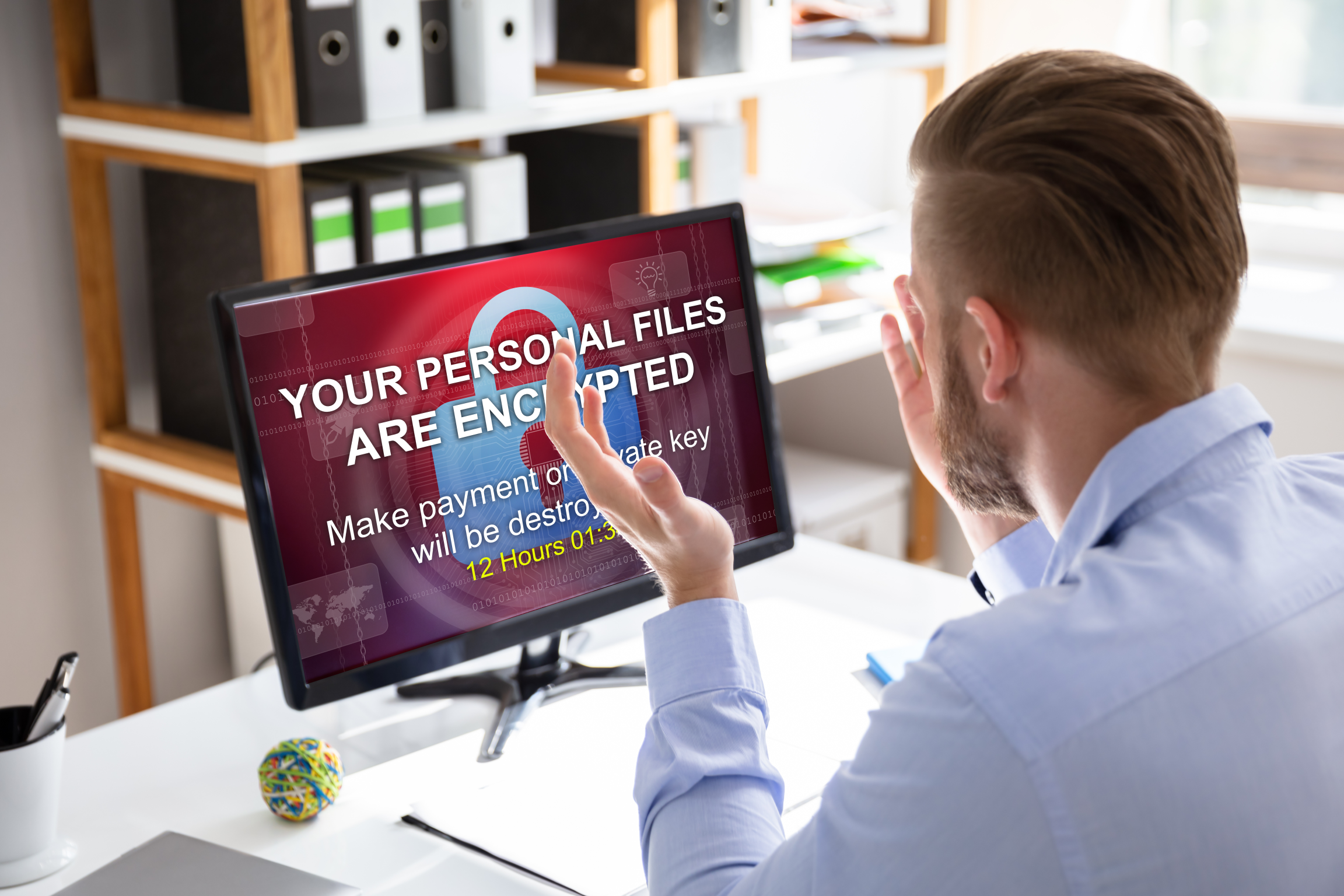
Files are present but renamed with unfamiliar extensions (.encrypted, .locked, .crypted, or variant-specific extensions). A ransom note appears as a text file, HTML page, or desktop wallpaper with payment instructions and a countdown timer. The system itself still boots and runs, but user data is inaccessible.
Real-world scale:
The Kaseya/REvil attack in July 2021 exploited a vulnerability in Kaseya’s VSA remote management software to deploy crypto ransomware to approximately 1,500 businesses through their managed service providers in a single coordinated attack. The initial ransom demand was $70 million.
2. Screen Lockers (Locker Ransomware)
Screen lockers take a different approach from crypto ransomware. Instead of encrypting individual files, they lock the user out of the entire device by displaying a full-screen ransom demand that prevents access to the desktop, applications, and system tools. The underlying files remain intact and unencrypted, but the victim cannot reach them.
Locker ransomware was more common in the early 2010s and is less frequently seen in sophisticated attacks targeting businesses in 2026. However, it remains a factor for two reasons. First, it still circulates in commodity malware kits distributed to low-skill attackers. Second, it is commonly used on mobile devices, where locking the screen is technically simpler than encrypting the file system and still effective enough to pressure a victim into paying.
How screen lockers work:
The malware modifies the system’s boot sequence or login process to display the ransom demand before the user can reach the desktop. On Windows, this typically involves modifying the Windows shell or replacing the login screen. On mobile devices, it may exploit device administrator permissions to set a lock screen that cannot be dismissed without the attacker’s code.
How to recognize it:
The device will not boot past a demand screen. The ransom message often impersonates law enforcement, claiming the device was used for illegal activity and demanding a “fine” to unlock it. Unlike crypto ransomware, there is no file extension change and no indication that files have been modified. If you can boot from external media or access the drive from another system, the files are typically recoverable without paying.
Why it matters even though it is less sophisticated:
A locked workstation during business hours creates immediate operational disruption. For businesses without IT staff who can boot from external media or remove the drive, the pressure to pay feels identical to a crypto attack even though the technical situation is far less severe. The correct response is to isolate the device, not pay, and have IT recover the system.
3. Scareware
Scareware is the ransomware category that relies on psychology rather than cryptography. It presents fake security alerts, fabricated virus scan results, or spoofed law enforcement warnings designed to frighten the user into paying for a “fix” to a problem that does not actually exist.
In its simplest form, scareware floods the screen with pop-up warnings claiming the system is infected with dozens of viruses and urging the user to purchase fake antivirus software to remove them. The “antivirus” does nothing (or installs additional malware), and the supposed infections were never real. In more aggressive variants, scareware locks the browser or displays a full-screen warning that mimics an FBI or Department of Justice seizure notice, complete with the user’s IP address and a demand for payment to avoid prosecution.
How scareware reaches your environment:
Compromised websites, malicious advertisements (malvertising), and phishing emails that direct users to fake security scan pages are the primary delivery methods. Scareware exploits human fear, not technical vulnerabilities, which is why it often targets individual users rather than enterprise systems.
How to recognize it:
The language is the giveaway. Legitimate security software does not demand immediate payment via gift cards, cryptocurrency, or wire transfer. Legitimate law enforcement does not collect fines through pop-up windows. If the “threat” appeared suddenly while browsing and demands money to go away, it is scareware.
Business impact:
Scareware is less technically damaging than crypto ransomware, but it creates real costs through lost productivity (employees unable to use their devices), potential malware installation if the user follows the scareware’s instructions, and IT time spent cleaning infected systems. For businesses without clear policies on how to handle suspicious alerts, a single scareware incident can cascade into hours of disruption.
4. Doxware (Leakware / Extortionware)
Doxware represents a fundamentally different threat model from the three categories above. Instead of encrypting files or locking devices, doxware attackers exfiltrate sensitive data from the victim’s environment and then threaten to publish it unless a ransom is paid. The files on your systems may remain completely accessible. The threat is not loss of access. The threat is public exposure.
This is the ransomware variant where backups provide zero protection. You can restore every encrypted file from a clean backup, and the attacker still has a copy of your client records, financial data, employee information, or proprietary business documents. The leverage is reputational damage, regulatory consequences, and the legal liability that comes with a data breach notification.
How doxware attacks unfold:
Attackers gain access to the network, often through the same phishing and RDP vectors used by crypto ransomware, and spend days or weeks quietly exfiltrating data before making their demand. They typically provide samples of the stolen data as proof. Ransom demands are calibrated to the perceived value of the data and the victim’s ability to pay.
How to recognize it:
The ransom demand references specific data that could only have come from your internal systems. The attacker may provide file names, database records, or document previews as evidence. There is no file encryption. Systems continue to operate normally. The first indication may be a direct communication from the attacker rather than a ransom note on a screen.
Why doxware is the fastest-growing category:
Doxware has grown rapidly because it works even against organizations with strong backup strategies. Backups solve the encryption problem but not the data theft problem. Industries handling regulated data (healthcare, legal, financial services, education) face the highest exposure because a data leak triggers mandatory breach notification, regulatory investigation, potential fines, and reputational harm that extends far beyond the ransom amount.
5. Ransomware as a Service (RaaS)
Ransomware as a Service is not a technical variant in the same way as the four categories above. It is a business model that has industrialized ransomware deployment. RaaS operators develop and maintain ransomware platforms, then lease access to affiliates who carry out the actual attacks. The operator provides the malware, the payment infrastructure, the negotiation playbook, and sometimes even victim support portals. The affiliate provides the access to a target network. Profits are split, typically 70/30 or 80/20 in favor of the affiliate.
This model matters because it has removed the technical barrier to entry for ransomware attacks. An affiliate does not need to write malware, build encryption routines, or set up cryptocurrency payment systems. They only need to find a way into a network. Everything else is provided by the platform.
How RaaS has changed the threat landscape:
- RaaS platforms recruit affiliates the same way legitimate SaaS companies recruit customers, with feature comparisons, uptime guarantees, and revenue-sharing models.
- The affiliate model means attacks come from a wide range of skill levels, from sophisticated groups targeting specific industries to opportunistic attackers scanning for any exploitable vulnerability.
- No business is too small. Opportunistic affiliates target any business with an exploitable vulnerability, regardless of revenue or industry profile.
- REvil operated one of the most prominent RaaS platforms until international law enforcement disrupted the group in early 2022, revealing the industrial scale these ecosystems had reached.
- Most RaaS toolkits are modular by design, pairing file encryption with data exfiltration. A single deployment delivers double extortion capability from the start.
For documented examples of how these platforms have been used against real organizations, see real-world ransomware attack examples for SMBs.
Double and Triple Extortion: When One Demand Is Not Enough
According to Verizon’s 2025 Data Breach Investigations Report, double extortion now features in most ransomware attacks and has become the default operating model for ransomware operations. Attackers encrypt files and simultaneously exfiltrate data, then issue two separate demands: pay to regain access, and pay again to prevent the stolen data from being published.
Backups alone no longer constitute a complete defense against modern ransomware. A clean restore from an offline backup resolves the access problem. It does nothing to eliminate the data-theft component, which remains an active threat regardless of what happens to the encrypted files.
Triple extortion adds a third layer of pressure:
- A distributed denial-of-service (DDoS) attack against the organization’s public-facing services
- Ransom demands sent directly to the victim’s customers or business partners
- Threats targeting supply chain vendors connected to the primary victim
Triple extortion campaigns treat communications infrastructure as an additional lever. Businesses should factor systems such as unified communications solutions into incident response planning, because attackers use disruption or threatened exposure of those systems as a separate extortion point.
Double extortion is why encryption-only defense strategies leave organizations exposed. Blocking data exfiltration requires a separate set of controls from preventing file encryption.
How to Tell Which Type of Ransomware Hit Your Business
Correct classification changes how you respond and what you prioritize first. Work through these steps before making any payment or restoration decisions:
- Check what is inaccessible. Files present but renamed with a new extension or appearing as scrambled data point to crypto ransomware. A device that will not boot past a demand screen points to a locker variant.
- Read the demand carefully. Law enforcement branding, fabricated case numbers, or urgent warnings about illegal activity typically indicate a screen locker or scareware, not encrypting ransomware.
- Review logs for exfiltration before the encryption event. Unusual outbound data transfers in firewall or SIEM logs suggest doxware or a double extortion campaign rather than a simple encrypt-and-demand attack.
- Isolate the affected device immediately. Do not pay without understanding the attack type first. Payment before proper classification funds further attacks and does nothing to protect data that has already left your environment.
- Escalate with as much log data as possible. Accurate classification speeds recovery and determines whether to involve cyber insurance, law enforcement, or a formal breach notification process.
Building the Defenses That Match the Threat
No single control protects against all five categories. Endpoint security, backup architecture, access controls, and incident response all need to work together. A gap in any one creates an opening a specific ransomware variant will exploit.
The ransomware as a service model has made attacks more frequent and less technically predictable. According to Verizon’s 2025 Data Breach Investigations Report, ransomware is now present in 44% of all data breaches, up 37% in a single year. Multi-factor authentication (MFA) eliminates one of the most common initial access vectors across every ransomware category. Treat it as a non-negotiable baseline, not an optional add-on.
Centrally managed, regularly patched device fleets close the vulnerability windows that crypto ransomware and RaaS affiliates most commonly exploit. Programs like hardware as a service keep devices current on firmware and software updates without requiring your team to manage each asset’s lifecycle manually. A managed IT partner handles patching, endpoint monitoring, backup verification, and incident response across all ransomware categories as part of a standard service engagement.
When ransomware categories become familiar operational knowledge rather than unexpected crises, your team responds faster, recovers more completely, and avoids the costly mistakes that come from misidentifying the attack. Classification is not an academic exercise. It changes which systems you isolate first, whether you notify regulators, and whether restoring a backup actually resolves the full threat.
LeadingIT provides managed IT and cybersecurity services to businesses with 25–250 employees across Chicagoland, including endpoint protection, 24/7 monitoring, incident response, vCIO guidance, and compliance support.
Contact our Chicagoland IT support team or call 815-788-6041 to schedule a free assessment.