Fiber Optic Internet Explained: Installation, Cost, and What to Expect
According to the FCC’s 2024 Broadband Data Collection, fiber broadband is now accessible at nearly half of all U.S. fixed locations, a coverage footprint that has grown substantially over the past five years. For businesses in that coverage area receiving an upgrade offer from their ISP, the sales pitch raises questions the promotional materials rarely answer.
What does a fiber installation actually involve? Does the building need to be rewired? What replaces the cable modem? And does the higher monthly cost justify the switch?
This article covers how fiber gets installed at a building, what the ONT does in place of a modem, and whether your existing cabling still works. It also walks through the full cost picture and whether the upgrade makes financial sense for your organization.
How Fiber Optic Internet Actually Reaches Your Building
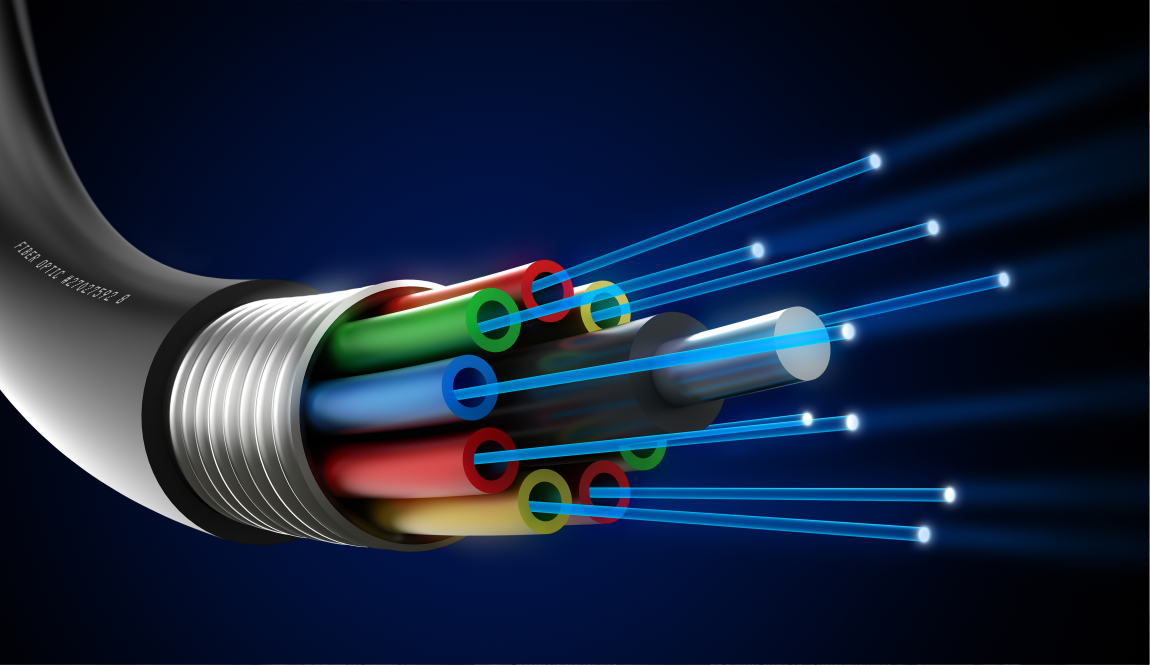
Fiber optic internet transmits data as pulses of light through thin strands of glass or plastic rather than as electrical signals over copper wire. That single physical difference drives every speed, reliability, and interference advantage that fiber delivers over copper-based alternatives.
ISPs build their networks outward from a regional backbone to a local distribution hub, then extend a dedicated strand to each customer’s premises. This architecture is called fiber to the premises (FTTP), sometimes referred to as fiber to the building (FTTB) in commercial contexts. Each business receives a dedicated fiber path rather than shared bandwidth with neighboring tenants.
The fiber run from the street or utility pole to the building exterior is the ISP’s responsibility. Everything inside the building (the switches, patch panels, and runs to individual workstations) belongs to your internal network infrastructure.
Not every fiber offer delivers full FTTP. Some providers terminate the fiber run at a neighborhood node or the curb and cover the final stretch to the building over existing copper. This fiber to the curb (FTTC) architecture outperforms traditional cable but falls short of true fiber throughput. Confirm which architecture your provider is actually deploying before scheduling any build-out.
What Happens During a Fiber Internet Installation
A standard fiber installation follows five distinct phases. Knowing what each one involves sets realistic expectations for scheduling, potential disruption, and the division of responsibility between the ISP and your team.
- Site survey. An ISP technician visits the property to confirm whether fiber already passes the building or requires an extension run. The technician identifies the entry point and the interior location where the network will hand off to your equipment.
- Outside plant work. The technician pulls fiber through existing conduit, coordinates underground trenching, or attaches the strand aerially via utility pole. The method depends on local infrastructure and permitting requirements. Underground runs take longer and cause more exterior disruption than aerial attachments.
- Fiber entry and ONT placement. The strand terminates at the building’s demarcation point and connects to an optical network terminal (ONT). This wall-mounted device is typically placed near the building entry or in a telecom closet.
- Ethernet handoff. The ONT outputs a standard ethernet signal. From that point, the connection travels over your existing internal network infrastructure exactly as it would from any other WAN source.
- Testing and activation. The ISP tests signal strength and throughput at the ONT. Your IT team or managed services partner then connects the router, configures the WAN interface, and validates end-to-end speeds at the subscribed tier.
Simple aerial drops in buildings where fiber already passes the street often complete in a single day. Builds requiring new underground infrastructure can take several weeks depending on permitting and contractor availability.
Do You Need to Rewire Your Office for Fiber?
In most cases, no. Fiber replaces only the last-mile connection between the ISP and your building. The ONT outputs standard ethernet, so your existing Cat5e, Cat6, and Cat6a internal runs stay fully usable.
Rewiring becomes relevant in three specific situations:
- Cabling older than Cat5e. Cat3 and older unshielded runs were not designed for current network speeds. They will bottleneck the connection regardless of what the ISP delivers at the demarcation point.
- Physically damaged infrastructure. Runs that have been stapled incorrectly through walls, repeatedly bent, or routed near EMI sources degrade performance in ways a new fiber drop cannot fix.
- High-throughput upgrades. Moving to 10 Gbps or multi-gig fiber tiers requires patch panels, switches, and horizontal runs rated to match. Cat5e tops out at 1 Gbps; Cat6 handles 10 Gbps only at shorter distances. For context on how different cable categories compare, see our overview of types of network cable.
A fiber upgrade is a natural trigger for a structured cabling audit. The ISP is already causing some disruption to the building during the build-out. Addressing aging or undersized internal runs at the same time prevents a second round of downtime later. Engaging a structured cabling services provider during the fiber project is more cost-efficient than treating them as separate engagements.
Businesses moving into a new space alongside a fiber deployment should plan interior cabling proactively. Retrofitting after the fact consistently costs more and causes more disruption than running it correctly during the initial build-out.
The ONT: Why Fiber Connections Don’t Use a Cable Modem
A cable modem has one job: translate between coaxial cable signals and ethernet. Fiber carries light, not electrical signals, so a modem plays no role in the connection chain.
The ONT (optical network terminal) is the functional replacement. It converts the optical signal arriving over the fiber strand into a standard ethernet signal that your routers and switches can accept.
Key things to know before your installation:
- The ISP owns and manages the ONT. It is supplied as part of the service agreement, which means firmware updates and hardware replacement are the ISP’s responsibility, not yours.
- Your existing business router connects normally. The ONT outputs standard ethernet, so any router with a WAN ethernet port works without additional hardware changes.
- Watch for router throughput ceilings. If your current router has a WAN throughput limit below your subscribed fiber speed, the router becomes the bottleneck. This is a common issue when upgrading to gigabit or multi-gig tiers with older edge hardware.
- Fiber doesn’t require a separate modem purchase. Acquiring a modem from the ISP is a cable-era workflow. The ONT handles signal conversion entirely.
The router throughput issue is the one most organizations overlook during a fiber transition. A router rated for 100 Mbps WAN throughput caps your effective speed regardless of whether your fiber plan delivers 500 Mbps or 1 Gbps.
Fiber vs. Cable Internet: What Businesses Actually Notice
The performance advantages of fiber translate into three operational differences that show up daily at a 25-to-250-person company.
Symmetrical speeds. Cable internet was designed for content consumption, not two-way data transfer, which is why it delivers much faster downloads than uploads. Fiber provides equal throughput in both directions. For businesses running cloud backups, video conferencing, VoIP, or hosted applications, that symmetry directly improves performance across all of those workloads simultaneously.
Lower, more consistent latency. Light-based signals degrade less over distance than electrical signals through copper, producing steadier round-trip times even under peak load. Real-time applications, including voice and video calls, benefit most from that stability.
Resistance to interference and congestion. Fiber is immune to electromagnetic interference. Shared-bandwidth congestion, a frequent complaint with cable ISPs in dense commercial districts and office parks, is not a structural problem on dedicated fiber.
The downsides are equally real:
- Availability gaps. Coverage maps are sometimes optimistic. Fiber listed as available at an address can require infrastructure extension with a multi-week lead time. Confirm availability at the specific building before planning a migration.
- Installation disruption. Trenching or aerial work temporarily affects building access. For most locations this is a one-time event, but it needs to be communicated to staff and scheduled around operational requirements.
- Monthly cost. Business fiber typically costs more than comparable cable tiers. The price gap has narrowed as providers have expanded their networks, but it remains a real factor in the ROI calculation.
Costs, Lifespan, and Power: The Long-Term Numbers on Fiber
ISP installation fees range from $0 to several hundred dollars for a standard premises drop. Promotional agreements frequently waive the fee entirely. Commercial builds requiring conduit extension or new infrastructure can run into the thousands. Those costs are typically negotiated as part of the service contract rather than billed as a separate line item.
Internal cabling costs are separate and fall entirely on the business. If your structured cabling needs to be added or upgraded to handle the throughput fiber makes available, that is a distinct project with its own budget.
The physical lifespan of fiber cable is a meaningful factor in the long-term economics. According to Corning Optical Communications, properly installed fiber optic cable carries an estimated service life of 25 to 50 or more years. Glass-core strands do not corrode the way copper does and are not subject to the signal degradation that limits copper’s useful life in a commercial building.
Power consumption from fiber infrastructure is negligible. The ONT typically draws 5 to 15 watts per most manufacturer specifications, and fiber cable itself carries no electrical current. The practical effect on your electric bill is zero.
The ROI case for business fiber rests on three factors:
- Symmetrical speeds for cloud-dependent workflows
- Fewer disruptions from a more reliable connection that doesn’t degrade under peak load
- Eliminated shared-bandwidth congestion that quietly erodes productivity during business hours
Evaluating that calculus fully requires a look at router capacity, internal cabling condition, and the specific applications your team depends on. That is precisely the kind of infrastructure assessment that Chicago managed IT services partners conduct before a business commits to a fiber upgrade.
Getting Fiber Right the First Time
When fiber is properly deployed alongside the right internal infrastructure, the operational improvement is concrete:
- Upload symmetry stops bottlenecking cloud backup and collaboration tools
- Stabilized latency improves VoIP and video conferencing quality
- Eliminated congestion ends the shared-bandwidth slowdowns that quietly erode productivity during business hours
LeadingIT provides managed IT services to businesses across the Chicagoland area, including network infrastructure planning, structured cabling coordination, router and switching configuration, and ongoing connectivity monitoring. If you’re evaluating a fiber upgrade, or trying to determine where your current infrastructure is limiting performance, we can map out the full picture before you commit to a provider.
When network infrastructure planning becomes a managed process rather than a recurring source of slowdowns and outages, your team can focus on the work that actually moves the business forward.
Talk to LeadingIT about your network or call 815-788-6041 to map out fiber readiness before you commit to a provider.